

Mark images as normal or anomaly
An anomaly detection model learns what a good product looks like, so that it can flag whatever differs. In this guide you mark the good images of a dataset as normal, all at once, and mark a defective one as an anomaly, painting where the defect is.
What you will learn
- How to mark many good images at once
- How to mark an image as an anomaly
- How to paint where the defect is
Before you start
You need an anomaly detection dataset with images. Anomaly detection datasets come with their two tags: «Ok» for normal images and «Nok» for anomalies.
1. Select the good images
Open the dataset and click «Labeling». An anomaly detection model learns mostly from good products, so start with them: tick the box in the corner of every image that shows a good product.

2. Mark them as normal
In the bar at the bottom, click «Ok»: the platform asks you to confirm how many images it will mark as normal. «Nok» does the same for anomalies.
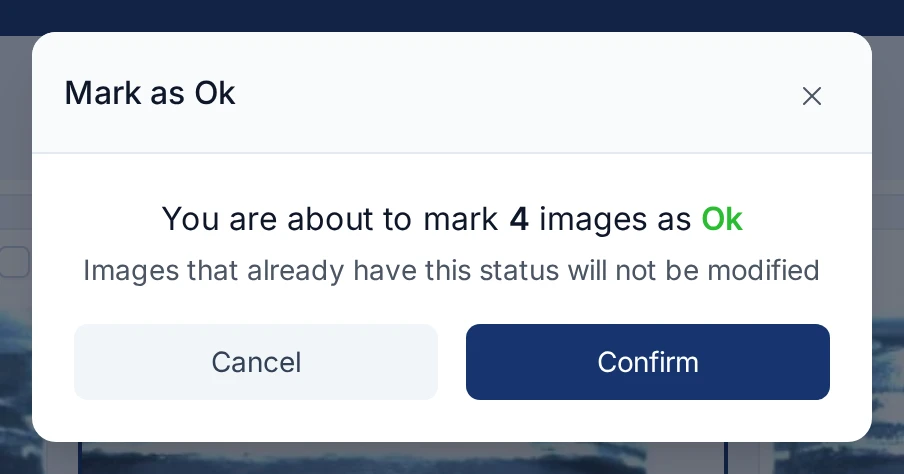
3. Confirm
Click «Confirm». The images are marked as normal, and the counts on the right show how many images are normal («Ok») and how many are anomalies («Nok»).
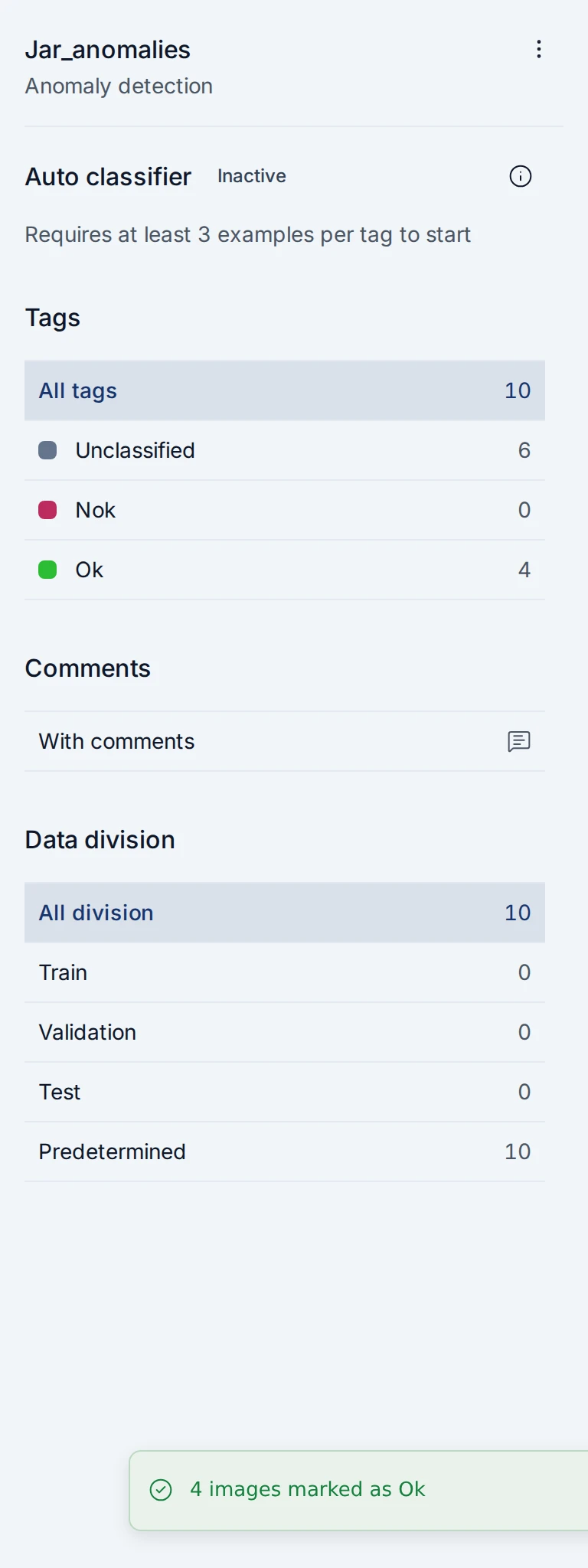
4. Open an image with a defect
Click an image that shows a defect to open it in the editor.
5. Mark it as an anomaly
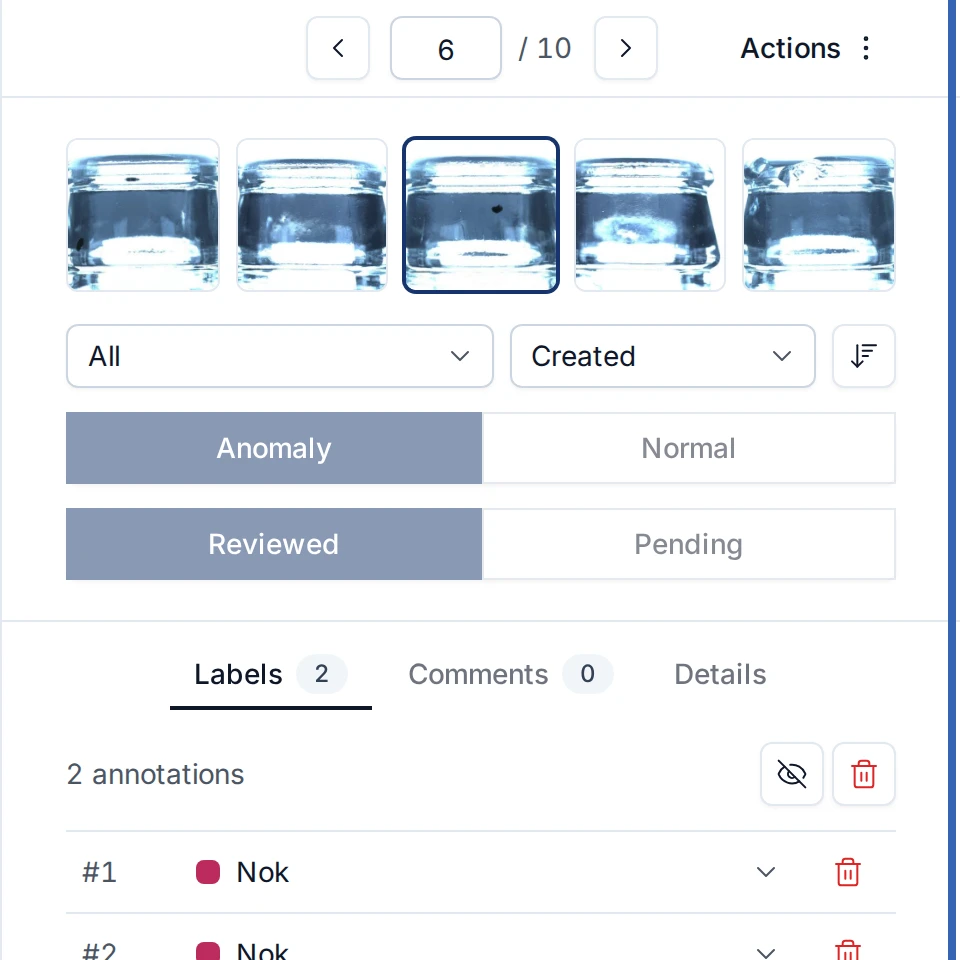
On the right, «Normal» and «Anomaly» tell what the image shows. Click «Anomaly». Space marks the image as reviewed, and D moves on to the next one.
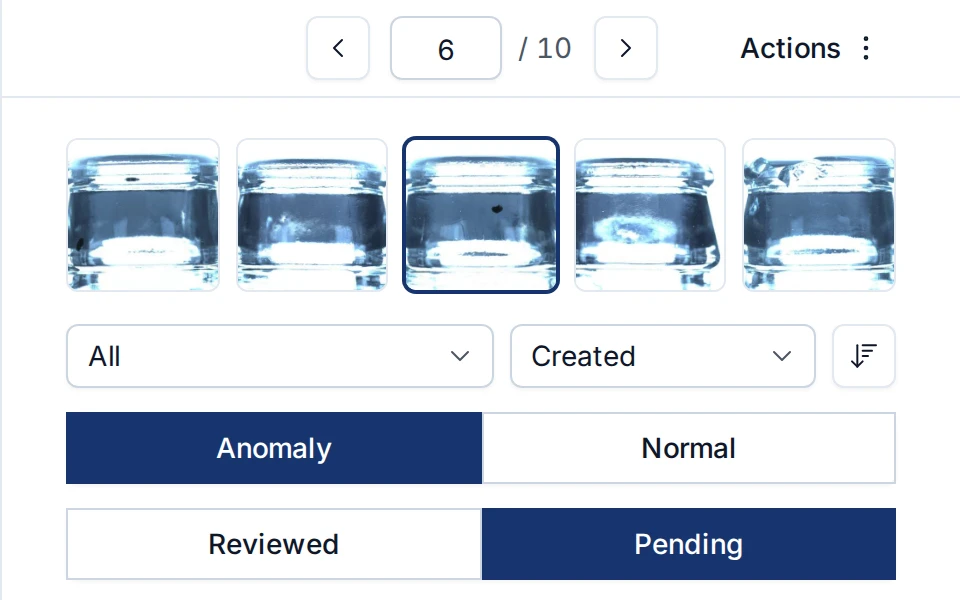
6. Paint the defect
To show the model where the defect is, choose «Draw» and paint over it; «Polygon» outlines it instead, and «Erase» removes paint that went too far. A defect painted on a few images helps the model point at the defect, not only flag the image.
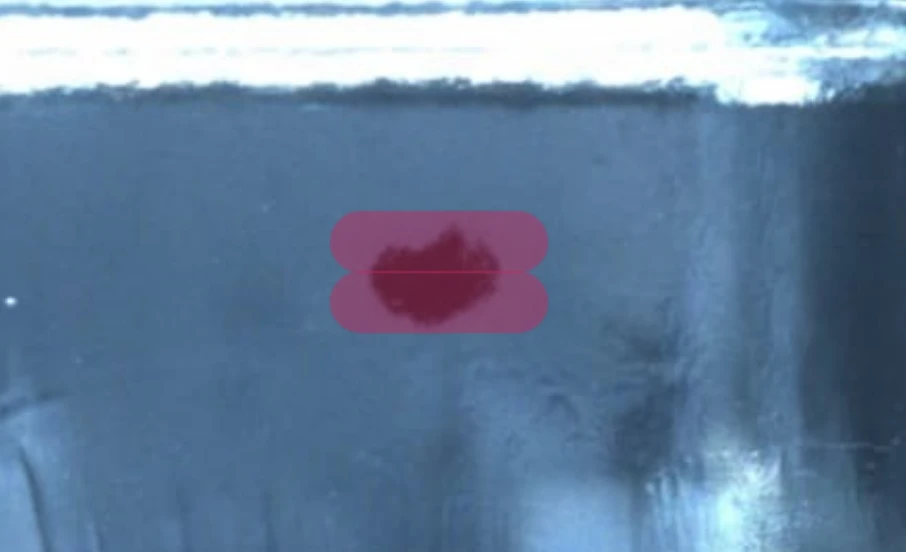
7. Check the image
The «Labels» panel lists each painted area: in «Stroke» mode every stroke is one, in «Instance» mode strokes join until you start a new one. An image with paint counts as reviewed. Back in the grid, the filters on the right count the normal images and the anomalies.
Next steps
- Label faster with Smart Labeling to mark a defect with one click
- Choose the right dataset type to know when anomaly detection fits
Recorded on Rosepetal release 1.8.15.